

Manage Your Accounts On The Go
Whether you're at home, at work, or on the go, you can access GNB's Mobile Banking app using your mobile device. Life can be busy at times, but doing your banking shouldn't be!
It's free, secure, and convenient!
Getting started is easy
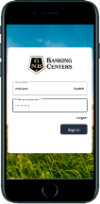 Download the GNB Mobile app by searching for "GNB Banking Centers" on the Apple App Store or Android's Google Play Store. Once the app is downloaded, simply login with your Online Banking credentials or click the First Time User? Enroll Now link to get enrolled.


Android is a trademark of Google Inc.
Apple, the Apple logo, and iPhone are trademarks of Apple Inc., registered in the U.S. and other countries.
Card Management
 Easily turn your debit card on and off, report your card if it is lost or stolen, and activate your new debit card in the GNB Banking Centers App or Online.
External Transfers
 Add accounts that you have at other financial institutions to your online banking account and transfer funds externally. When you connect the account, we make two small deposits into your account at the other institution. When the deposits are complete, you enter and verify the amounts in your online banking account. This is an easy way to make your loan payment with GNB. Click here for more detailed instructions.
MEssage Feature
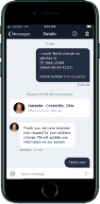 Whether you need to make a change to your account or ask us about a transaction that doesn't look right, you can message our support staff directly. All you have to do is tap on "Messages" or "Ask Us About This Transaction" to type in your question. You can even ask about a previous conversation if you need to follow up.
MObile Deposit
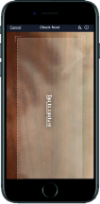 Make deposits with your mobile device conveniently and securely!
We understand that finding time to get to the bank can sometimes be a struggle! Not to worry though...Mobile Deposit allows you to deposit checks directly to your checking or savings account using your smart phone or tablet, eliminating a trip to the bank.
Requirements
- Must be enrolled in Online Banking
- Have the current version of the app
- Check must be endorsed with 'For Mobile Deposit Only' or check the box that reads 'Check here if mobile deposit'
Getting Started
- From the menu, within the app, select 'Deposit Check'
- Complete the enrollment process
- Once the enrollment has been approved, you may begin using mobile deposit immediately
What to know
- Email confirmations of deposits
- Enroll multiple accounts through the Mobile App
- Approved deposits will memo post to the account
- Cut off time of 4:00 pm for same day deposits
- Checks deposited after 4:00 pm will be applied to the next business day.

Vehicle & Personal Loans
Loan options when you need extra financial support.
Our personal and vehicle loans help you keep moving forward. Local service and friendly guidance included.